


Nuxeo Copilot Bridge: Bring Hyland Nuxeo into Microsoft 365 Copilot
Connect Hyland Nuxeo with Microsoft 365 Copilot to make enterprise content accessible through natural language. Find documents and images, get answers grounded in your content, draft contracts and manage approvals directly in Copilot or Microsoft Teams — without switching applications or compromising existing permissions and governance.
The Problem
In many organizations, Microsoft 365 Copilot is the approved AI assistant - other AI tools are not allowed or are hard to get approved. Yet the content people ask about lives somewhere else: contracts, dossiers and brand assets in Hyland Nuxeo, together with the rules that make that content trustworthy - permissions, numbering, metadata, retention, approval workflows and the audit trail.
Copying that content into an AI tool breaks exactly those rules. Asking people to switch to the content system for every question slows them down. And an assistant that answers with a shared technical account would see everything and record nothing about who asked.
The Solution
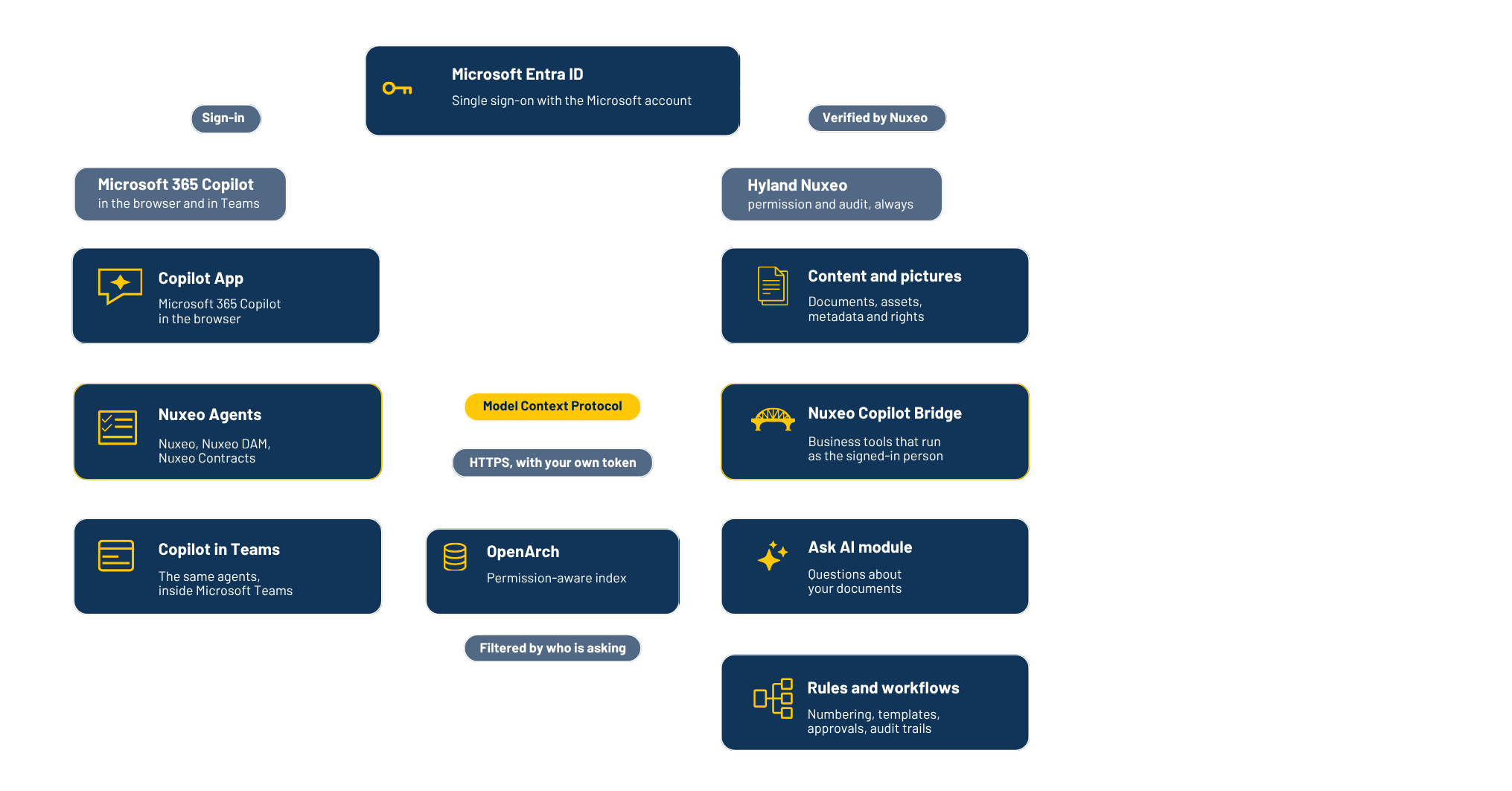
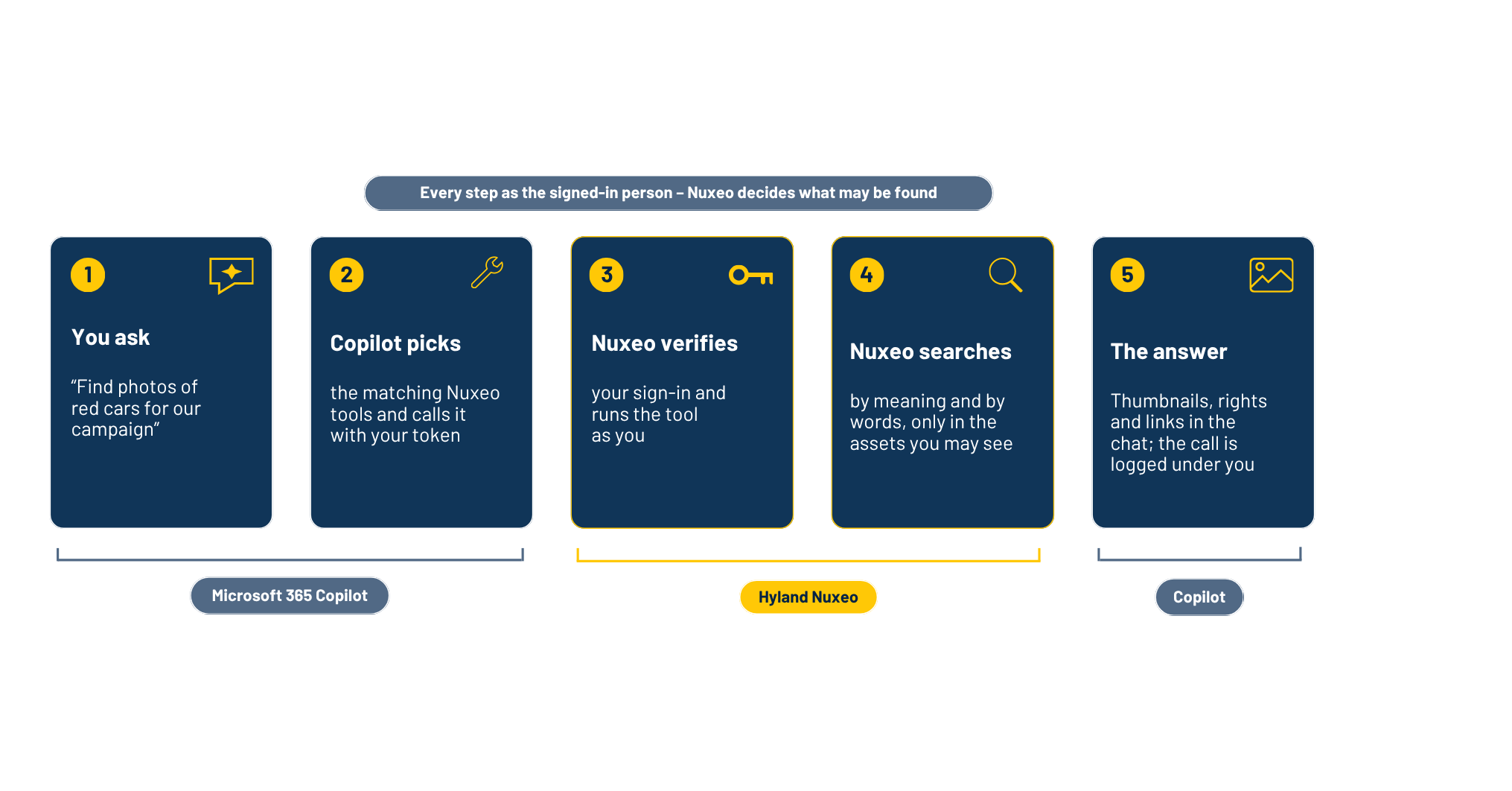
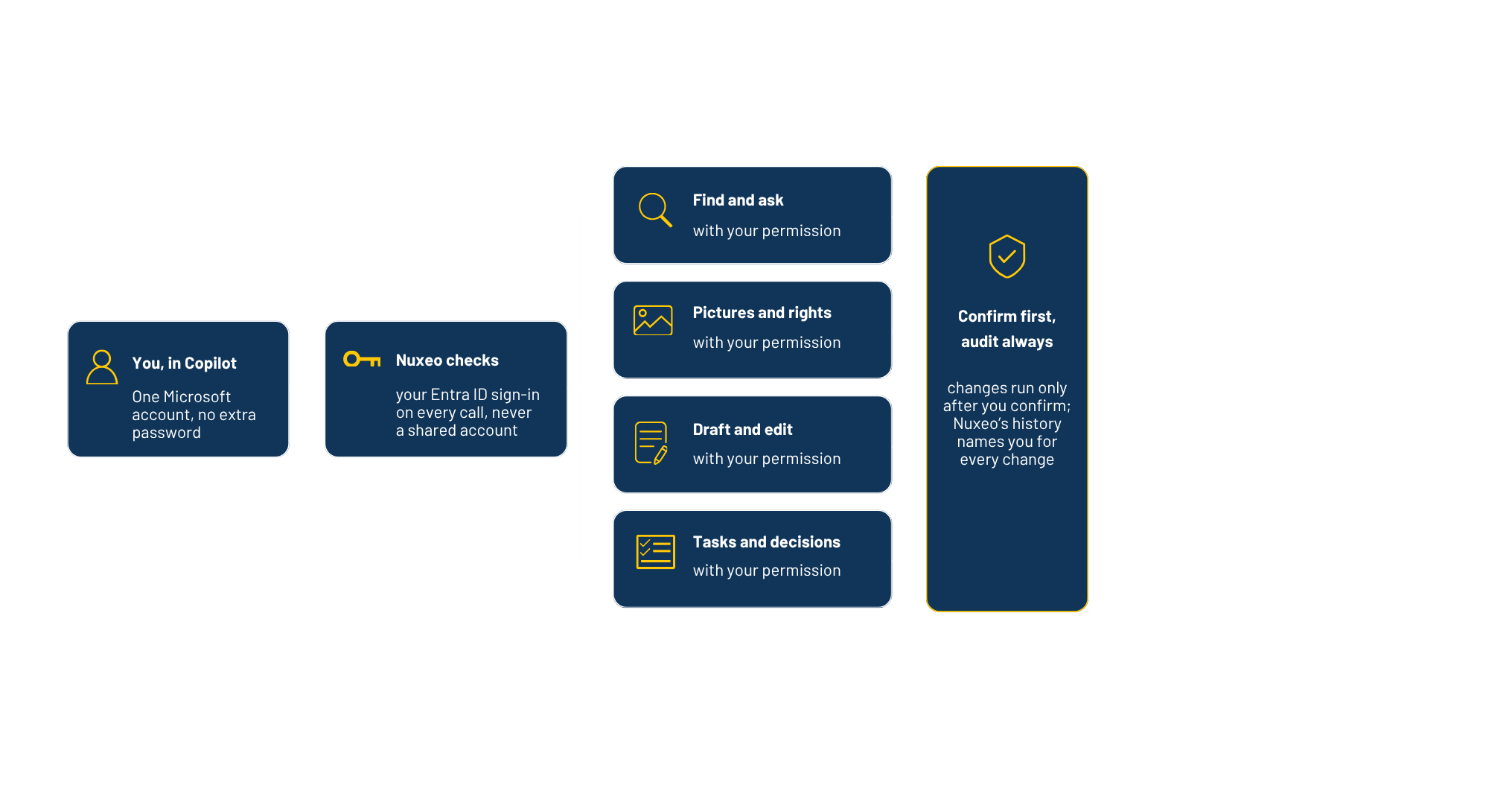
The Nuxeo Copilot Bridge makes Nuxeo so mething Copilot can use. It runs inside Nuxeo and offers Copilot a set of business tools - find, ask, request, draft, decide - through the Model Context Protocol. Every call runs as the person who asked: they sign in once with their Microsoft account through Microsoft Entra ID, Nuxeo verifies that sign-in, and Nuxeo’s own permissions, business rules, workflows and audit trail apply to every answer and every action.
The Technology
Built on the open Model Context Protocol (MCP), the Nuxeo Copilot Bridge exposes Nuxeo capabilities to Microsoft 365 Copilot through a set of business tools. Microsoft Entra ID enables single sign-on, while Nuxeo enforces access permissions and business rules for every request. Answers are grounded in Nuxeo content, and actions are recorded in its audit trail. Existing workflows, document versions and governance remain in Nuxeo, while users access the relevant capabilities through Microsoft 365 Copilot or Microsoft Teams.
The Nuxeo agents in Copilot
People use the bridge through Nuxeo agents in Microsoft 365 Copilot, published to the organization’s agent catalogue: a general Nuxeo agent for everyone, and agents for business areas such as Nuxeo DAM for pictures and Nuxeo Contractsfor contracts. Users open them from Agents in Copilot and chat with them like with Copilot itself.
Ask about your documents, with sources
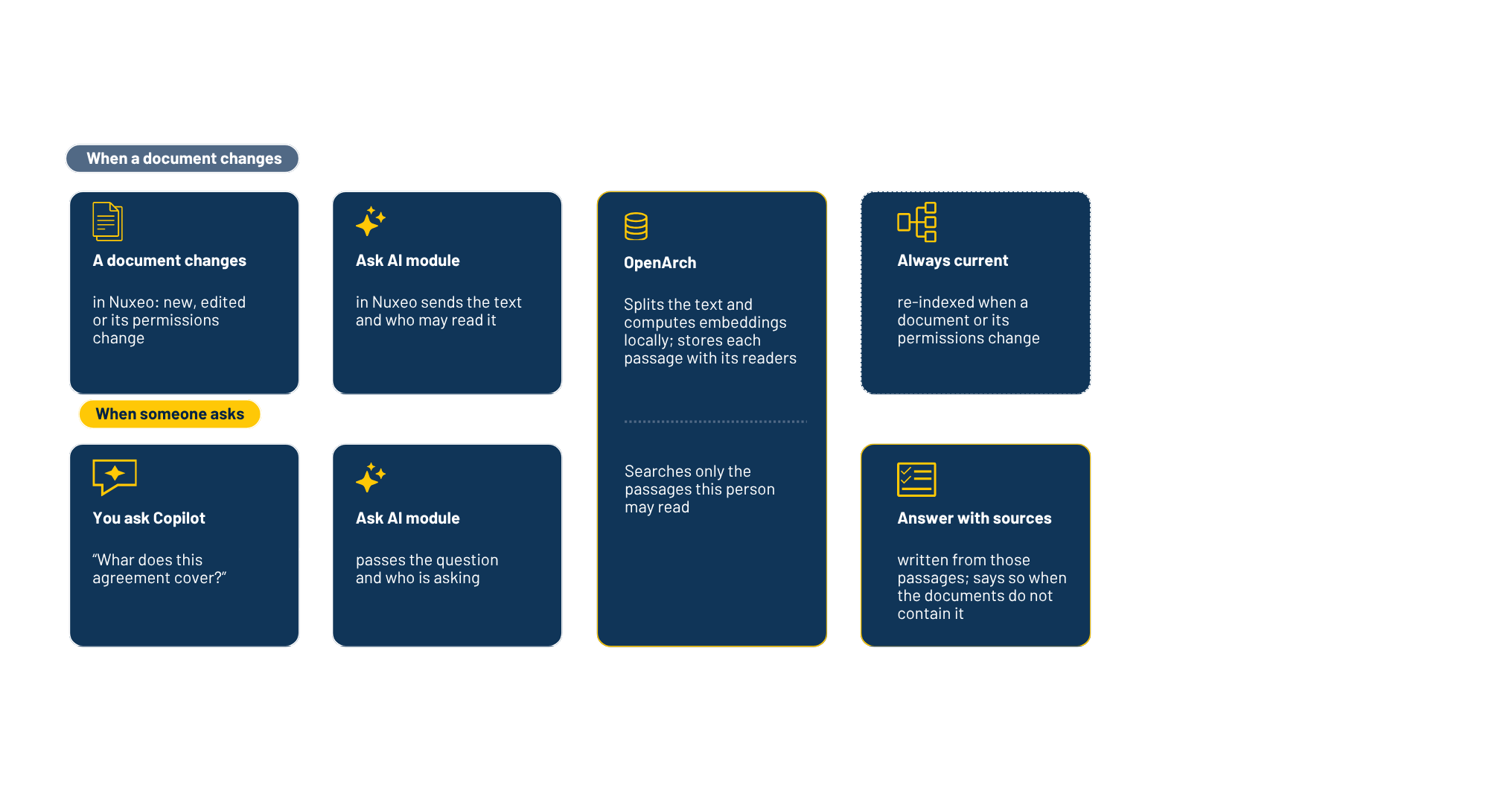
Ask questions about the content of your documents - a contract, a dossier, a partner’s papers - and get an answer drawn from the documents themselves, with the source named. If the answer is not in the documents, Copilot says so instead of guessing.
The answers come from Nuxeo’s Ask AI, built on OpenArch: every passage is stored together with who may read it, and every search is filtered by who is asking, so a passage you may not read is never found and never quoted.
Always as you, with Nuxeo’s permissions
Confirm before changes, audit always. Every action that changes something - a publication request, a new contract, a task decision - is marked as such, and Copilot asks you to confirm before it runs, showing the exact values it will send. Access is always decided by Nuxeo, never by the AI model, and text found inside documents is treated as data, not as instructions. Every call is recorded by Nuxeo under your name, and every change lands in Nuxeo’s audit trail li ke any change made in Nuxeo itself.
Talk to us ab out bringing Nuxeo into Microsoft 365 Copilot
Prime Force is a specialist for business-critical digital platforms. Our Knowledge Discovery and enterprise content management practice builds solutions on Hyland Nuxeo - Prime Force is Hyland Nuxeo EMEA Partner of the Year 2024 - and connects them with the tools people already use, such as Microsoft 365 Copilot and Microsoft Teams. We are happy to show you the Nuxeo agents in a live demo with your own scenarios, and to plan the set-up for your organization.